 dinos
0d8ac4f24b
dinos
0d8ac4f24b
* feat(docker): official image with all runtime deps pre-installed

Multi-stage build using uv for the EvoScientist core + all messaging-channel
extras, plus Node.js 24 LTS (for npx-based MCP servers) and uv (for runtime
Python MCP installs) in the runtime layer. Runs as non-root user evosci,
with workspace, app data, and config (XDG_CONFIG_HOME) all consolidated
under a single /home/evosci/.evoscientist volume so a single mount
persists everything across container restarts.

Includes a docker-compose.yml starter, a build/push GitHub Actions
workflow targeting ghcr.io with multi-arch (amd64/arm64) and PR-only
build verification, a .dockerignore, and a new Docker section in the
README documenting mounts, derivation recipes for the unbundled stt /
oauth / TinyTeX extras, and proxy/cert handling expectations.

* fix(docker): pin trixie base + drop redundant python image

Switch builder and runtime from `python:3.11-slim-bookworm` to a single
`ghcr.io/astral-sh/uv:python3.11-trixie-slim` base — trixie drops several
CRITICAL vulnerabilities that bookworm carries today, and reusing the uv
image for runtime eliminates the separate `COPY --from=…/uv` line.

* chore(docker): pin GitHub Actions to commit SHAs in workflow

Replace mutable major-version tags with full commit SHAs (with the
corresponding semver tag in a trailing comment) so a compromised /
retagged action release can't silently change what runs in the publish
pipeline.

* chore(deps): enable Dependabot version updates for Dockerfile pins

Adds a weekly `docker` ecosystem that watches the Dockerfile's `FROM` /
`COPY --from=` references — including the ARG-bound `BASE_IMAGE` and
`NODE_IMAGE` digests — and opens one grouped PR per cadence bumping
both the @sha256 digest and the trailing version comment. This keeps
the otherwise-frozen pins flowing with Debian point releases and
upstream patches.

* fix(docker): use nodejs alias stage so NODE_IMAGE ARG actually resolves

`COPY --from=${NODE_IMAGE}` left the dollar-curly literal at parse time
under buildkit 29.x — it expands ARGs in `FROM` but reads `--from=` as a
static stage/image name. Introduce a tiny `FROM ${NODE_IMAGE} AS nodejs`
alias and `COPY --from=nodejs …` against it, which preserves the
ARG-driven Dependabot updates without tripping the parser.

* fix(docker): harden venv ownership and PATH ordering

- Drop `--chown` on the `/opt/venv` COPY so the venv stays root-owned.
  The runtime user only needs read+execute (default Unix perms allow
  that); making it user-owned let the agent rewrite its own
  dependencies, which defeats the sandboxing premise. All persistent
  agent state already lives under /home/evosci/.evoscientist/.
- Reorder PATH so /opt/venv/bin precedes the user-writable
  UV_TOOL_BIN_DIR. Otherwise a stray binary dropped into the latter
  (e.g. via `uv tool install`) could shadow the canonical
  `evosci` / `python` / `pip` shipped with the image.

* docs: update README

* docs(docker): warn about non-root UID and `curl | sh` for derived images

- The image runs as `evosci` (UID 1000), so a host-side `./workspace`
  bind mount fails if the host user has a different UID — same gotcha
  that bites onboarding's `mcp.yaml` write. Add an !IMPORTANT block
  with the two practical fixes (`chown -R 1000:1000` once, or
  `--user "$(id -u):$(id -g)"` on each run).
- The TinyTeX derivation snippet pipes an unpinned remote installer
  into `sh`. Add a one-line pointer to fetching a pinned release
  tarball from `rstudio/tinytex-releases` for users who'd rather not
  trust the upstream script blindly. The official installer is kept
  as the default since that's what TinyTeX itself recommends.

* chore(docker): cancel in-flight workflow runs + flag iMessage as host-only

- Add `concurrency: cancel-in-progress: true` to the docker workflow
  so successive pushes on the same ref supersede the prior run rather
  than queueing in parallel — multi-arch buildx is the slowest job in
  CI, no point burning minutes on superseded builds.
- Spell out that the docker image installs the `all-chanels` extra and
  call out iMessage as a deliberate host-only exclusion: it requires
  the `imsg` CLI bridging to macOS's Messages.app, which no Linux
  container config can satisfy.
27 KiB





English | 简体中文
EvoScientist aims to harness vibe research by enabling self-evolving AI scientists that autonomously explore, generate insights, and iteratively improve. It is designed to be opinionated and ready to use out of the box, offering a living research system that grows alongside evolving agent skills, toolsets, and memory bases. Moving beyond traditional human-in-the-loop systems, EvoScientist adopts a human-on-the-loop paradigm, where AI acts as a research buddy that co-evolves with human researchers and internalizes scholarly taste and scientific judgment.
🏆 Awards & Recognition

Best Paper & Appraisal Award |
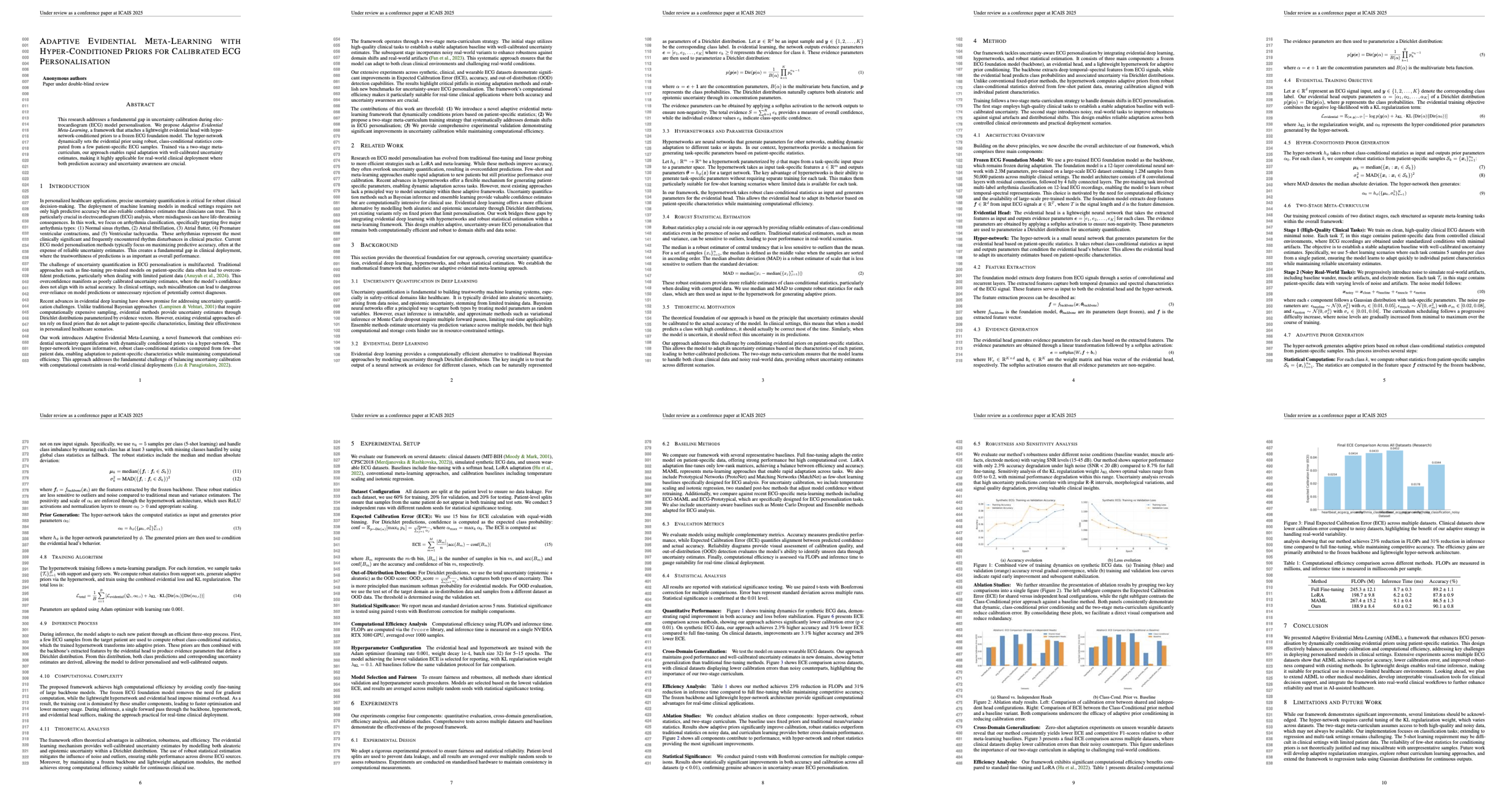
AI-Generated Best Paper |
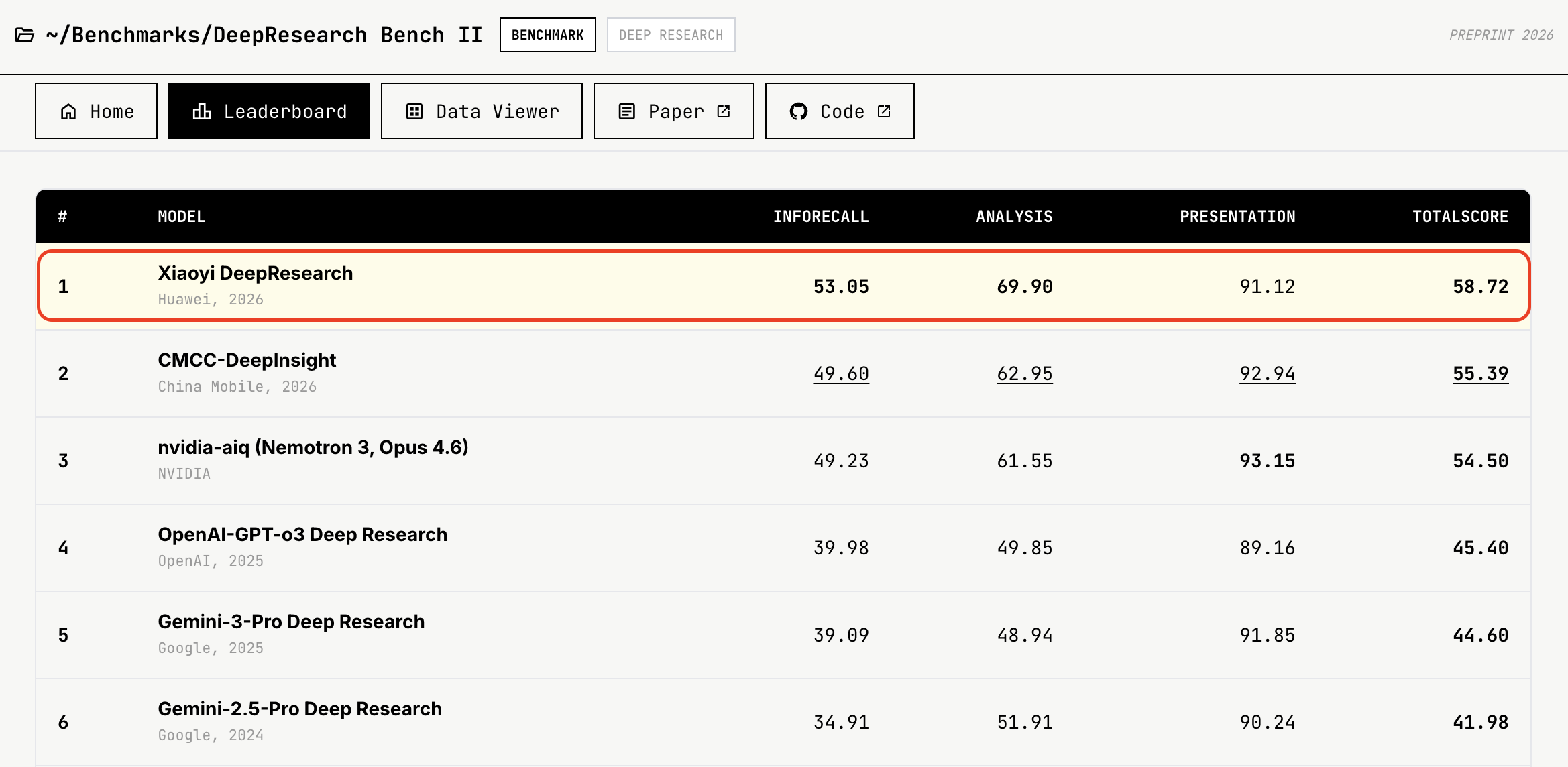
#1 on DeepResearch Bench II |
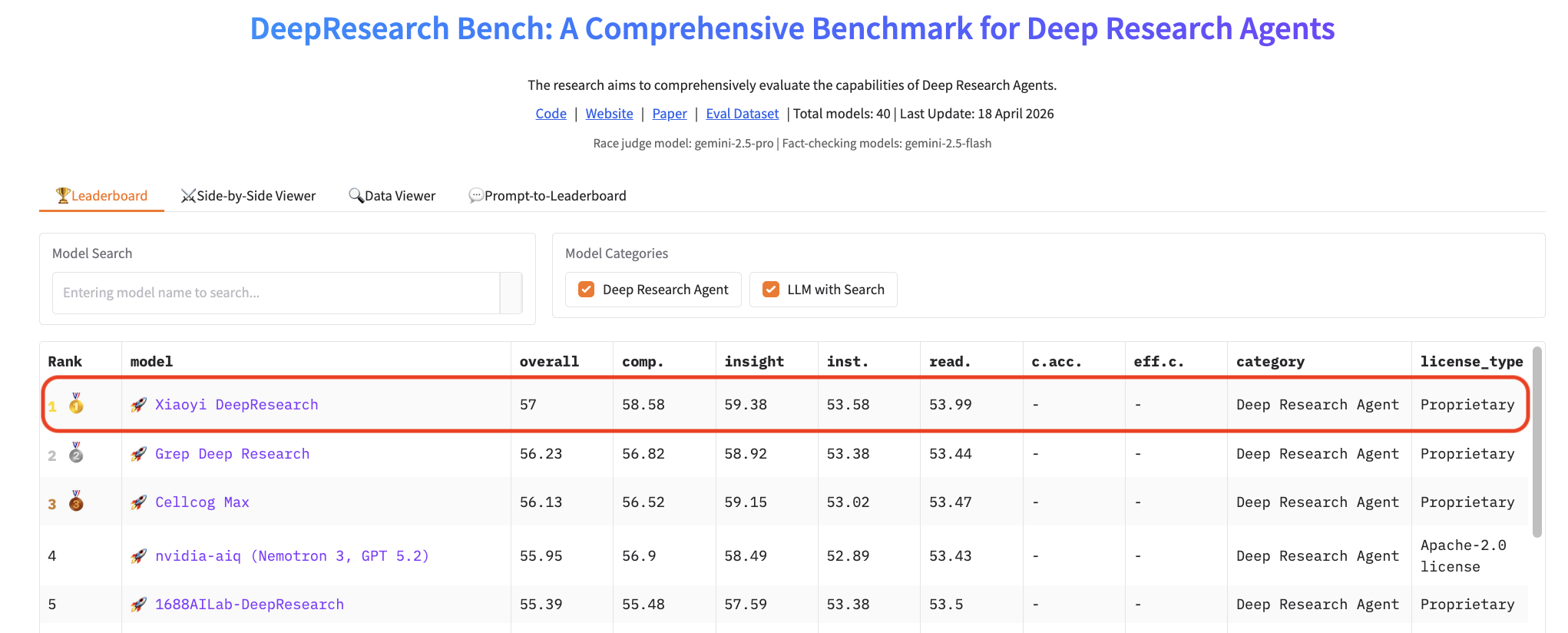
#1 on DeepResearch Bench |
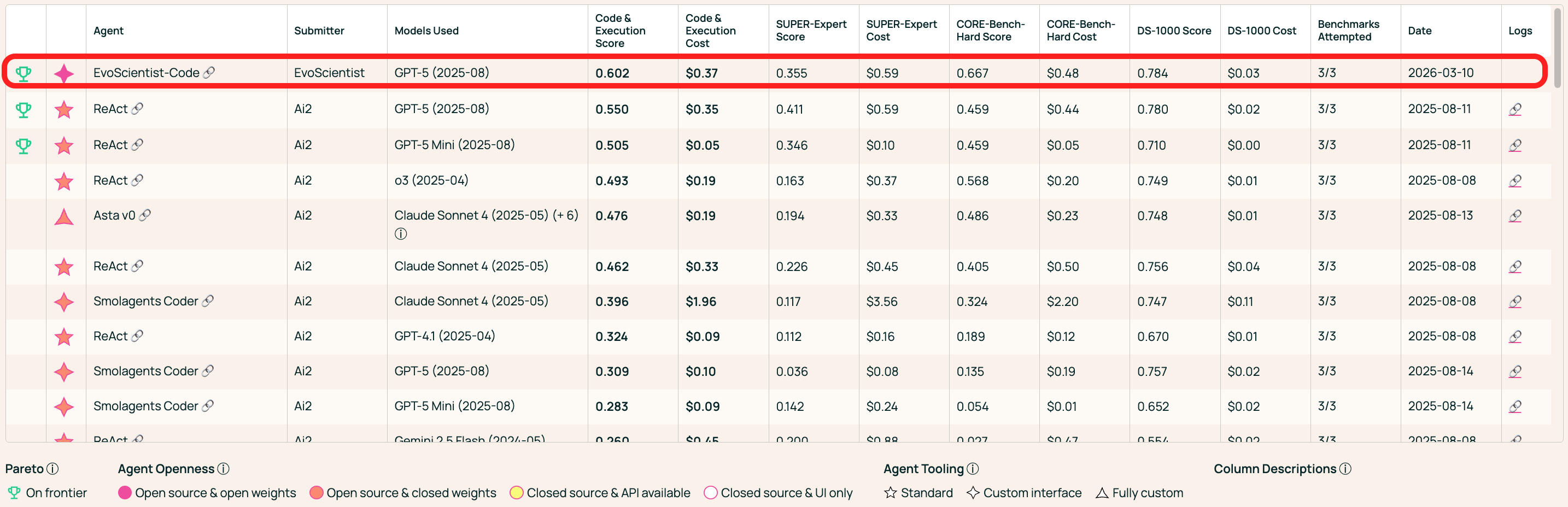
#1 on AstaBench Code & Execution |
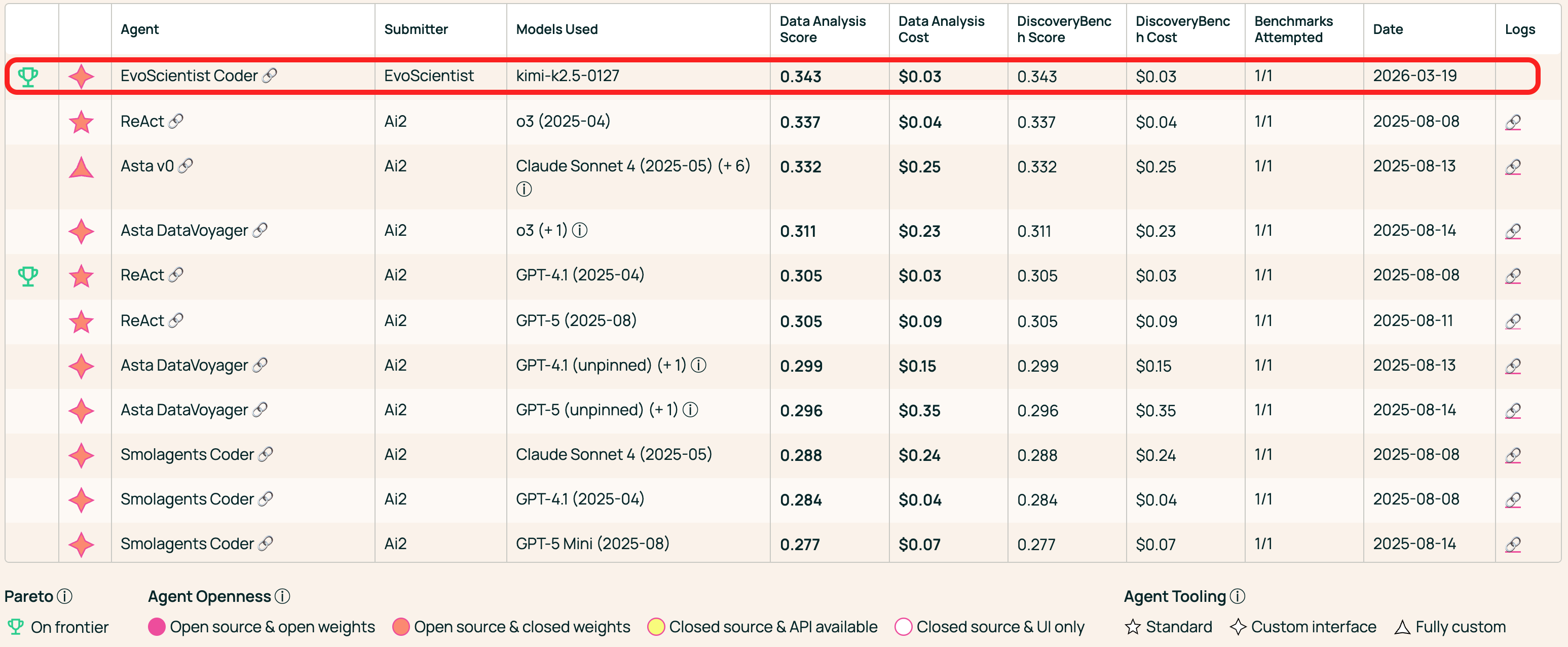
#1 on AstaBench Data Analysis |
⚡ Unified Control, Different Surfaces
🖥️ CLI / TUI |
📱 Mobile |
|---|---|
✨ Features
- 🤖 Multi-Agent Team — 6 sub-agents (plan, research, code, debug, analyze, write) working in concert.
- 🧠 Persistent Memory — Context, preferences, and findings survive across sessions.
- 🌐 Multi-Provider — Anthropic, OpenAI, Google, MiniMax, NVIDIA — one config to switch.
- 📱 Multi-Channel — CLI as the hub; Telegram, Slack, Feishu, WeChat, and more — one agent session.
- 🔬 Scientific Workflow — Intake → plan → execute → evaluate → write → verify.
- 🔄 Code Generation Modes — More Effort (iterative refinement), continuously improving code quality.
- ⚡ Adaptive Tools — Per-turn tool selection keeps only relevant tools visible, reducing noise.
- ✂️ Context Editing — Dynamic system prompt rewriting based on conversation state.
- 🔌 MCP & Skills — Plug in MCP servers or install skills from GitHub on the fly.
Tip
Looking for ready-to-use research skills? Check out EvoSkills — powered by EvoScientist's engine and installable skills, the entire end-to-end research lifecycle is covered out of the box. EvoSkills are also compatible with other CLI coding agents.
🔥 News
- [18 Apr 2026] 🥇 Ranked #1 on DeepResearch Bench at submission time! Leaderboard 👈
- [13 Apr 2026] 🥇 Reclaimed #1 on DeepResearch Bench II at submission time! Leaderboard 👈
- [26 Mar 2026] 🥇 Ranked #1 on AstaBench Data Analysis at submission time! Leaderboard 👈
- [25 Mar 2026] 🥇 Ranked #1 on AstaBench Code & Execution at submission time! Leaderboard 👈
- [13 Mar 2026] 🚀 EvoScientist officially debuts!
- [11 Mar 2026] ⛳ Technical Report is live! Check it out 👈
- [06 Mar 2026] 🥇 Ranked #1 on DeepResearch Bench II at submission time! Leaderboard 👈
- [24 Nov 2025] 🏆 6/6 accepted at ICAIS 2025 AI Scientist Track — Best Paper & AI Reviewer's Appraisal Award! Details 👈
📖 Table of Contents
- 📦 Installation
- 🔑 Configuration
- ⚡ Quick Start
- 🍪 Examples & Recipes
- 🔌 MCP Integration
- 📱 Channels
- 📚 Acknowledgments
- 🎯 Roadmap
- 🌍 Project Roles
- 🤝 Contributing
- 📝 Citation
📦 Installation
Tip
Requires Python 3.11+ (< 3.14). We recommend uv or conda for dependency management and virtual environments. Prefer to skip a local Python install entirely? Jump to 🐳 Docker.
🪛 Install uv (if you don't have it)
curl -LsSf https://astral.sh/uv/install.sh | sh
Quick Install
uv tool install EvoScientist
Note
To update an existing installation to the latest version, use
uv tool upgrade:uv tool upgrade EvoScientist
Or install into the current environment instead:
uv pip install EvoScientist
Latest from GitHub
To get the latest patches before a PyPI release:
uv pip install git+https://github.com/EvoScientist/EvoScientist.git
Development Install
git clone https://github.com/EvoScientist/EvoScientist.git
cd EvoScientist
uv sync --dev
enable pre-commit hooks:
uv run pre-commit install
Using conda
conda create -n EvoSci python=3.11 -y
conda activate EvoSci
pip install -e ".[dev]"
Using PyPi
pip install EvoScientist          # quick install
pip install -e ".[dev]"           # development install
Optional: Channel dependencies
Messaging channel integrations require extra dependencies. Install only what you need:
uv pip install "EvoScientist[telegram]"     # Telegram
uv pip install "EvoScientist[discord]"      # Discord
uv pip install "EvoScientist[slack]"        # Slack
uv pip install "EvoScientist[wechat]"       # WeChat
uv pip install "EvoScientist[qq]"           # QQ
uv pip install "EvoScientist[feishu]"       # Feishu
uv pip install "EvoScientist[all-channels]" # everything
Upgrade to the latest code base
git pull && uv sync --dev
🐳 Docker
A pre-built image is published to GitHub Container Registry with everything evosci onboard would otherwise install for you:
- Python 3.11, EvoScientist, and the cross-platform messaging channels (i.e.,
EvoScientist[all-channels]) uv— used by the MCP registry to install Python MCP servers on demand- Node.js 24 LTS +
npx— required by the majority of MCP servers
The iMessage channel isn't usable from the container — it requires the imsg CLI talking to macOS's Messages.app, which is host-OS-specific. Run EvoScientist directly on macOS if you need iMessage.
Running EvoScientist in a container also sandboxes the agent's shell access — file edits and shell commands stay confined to volumes you explicitly mount.
docker run -it --rm \
  --env-file .env \
  -v "$(pwd)/workspace:/workspace" \
  -v evosci-data:/home/evosci/.evoscientist \
  ghcr.io/evoscientist/evoscientist:latest
What the mounts are for:
| Mount | Purpose |
|---|---|
--env-file .env |
API keys (ANTHROPIC_API_KEY, OPENAI_API_KEY, …) |
./workspace:/workspace |
The agent's working directory |
evosci-data:/home/evosci/.evoscientist |
Persistent app state: sessions DB, global skills, memories, and config.yaml/mcp.yaml |
Important
The image runs as a non-root user (
evosci, UID1000). For the./workspacebind mount, the host directory must be writable by that UID. If your host user ID differs, eitherchown -R 1000:1000 ./workspaceonce, or pass--user "$(id -u):$(id -g)"on everydocker runso the container takes on your UID.
Or use docker compose (a starter docker-compose.yml is included):
docker compose run --rm evoscientist
To build the image locally instead of pulling:
docker build -t evoscientist:dev .
Note
Not bundled — install on demand by deriving from the image:
stt(speech-to-text viafaster-whisper) andoauth(ccproxy-api)- TinyTeX / LaTeX (
pdflatex,latexmk) for paper-writing skillsFROM ghcr.io/evoscientist/evoscientist:latest # Python extras USER root RUN uv pip install --python /opt/venv/bin/python "EvoScientist[stt,oauth]" USER evosci # TinyTeX # The official install method is `curl | sh`; if you'd rather not # pipe an unpinned remote script into a shell, fetch a specific TinyTeX # release tarball from https://github.com/rstudio/tinytex-releases, verify # its checksum, and extract to /home/evosci/.TinyTeX instead. RUN curl -sL https://yihui.org/tinytex/install-bin-unix.sh | sh \ && /home/evosci/.TinyTeX/bin/*/tlmgr install latexmk
🔑 Configuration
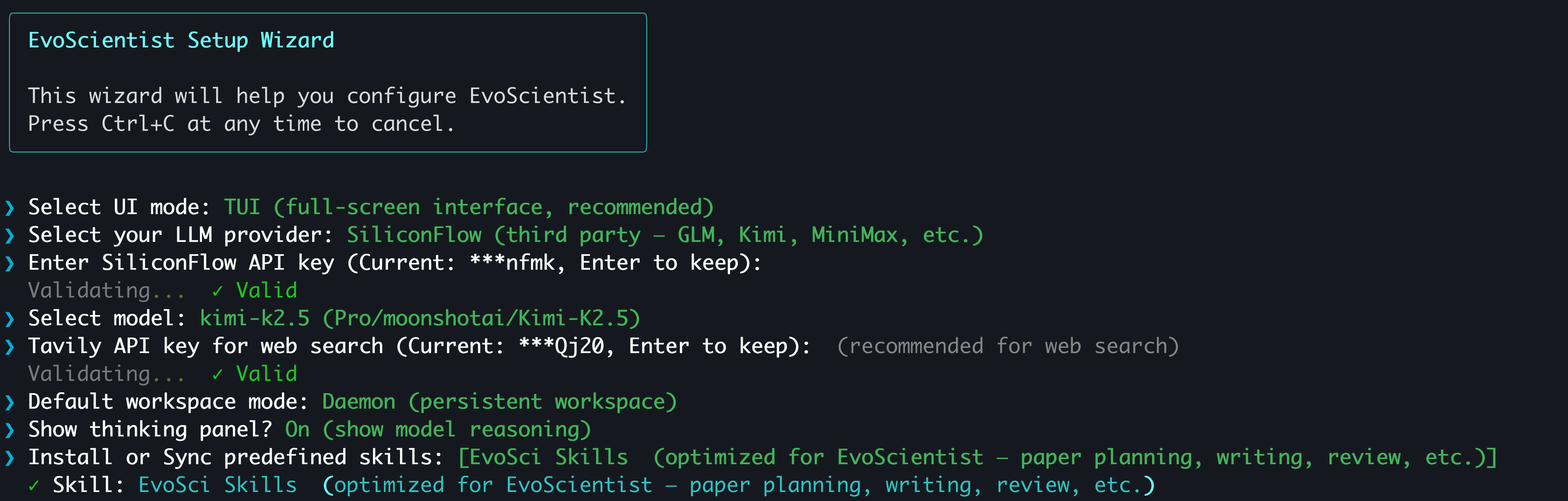
The easiest way to configure API keys is the interactive wizard:
EvoSci onboard
Tip
It walks you through provider selection, key validation, model choice, and workspace mode. Supports OAuth sign-in for CLI coding agent subscribers — no API key needed.
📟 Manual configuration via environment variables
Set at least one LLM provider key and (optionally) a search key:
# Pick one LLM provider
export ANTHROPIC_API_KEY="sk-..."   # Claude  — console.anthropic.com
export OPENAI_API_KEY="sk-..."      # GPT    — platform.openai.com
export GOOGLE_API_KEY="AI..."       # Gemini  — aistudio.google.com/api-keys
export MINIMAX_API_KEY="sk-..."     # MiniMax — platform.minimaxi.com (China, default) or platform.minimax.io (Global)
export MINIMAX_BASE_URL="https://api.minimax.io/anthropic"  # only needed for Global keys (default: https://api.minimaxi.com/anthropic)
export NVIDIA_API_KEY="nvapi-..."   # NIM    — build.nvidia.com

# Web search (optional)
export TAVILY_API_KEY="tvly-..."    # app.tavily.com
Or use EvoSci config set to persist keys in ~/.config/evoscientist/config.yaml.
Alternatively, copy the example .env file for project-level configuration:
cp .env.example .env # then fill in your keys
⚠️ Never commit
.envfiles with real keys. It is already in.gitignore.
⚡ Quick Start
EvoSci # or EvoScientist — interactive mode (TUI by default)
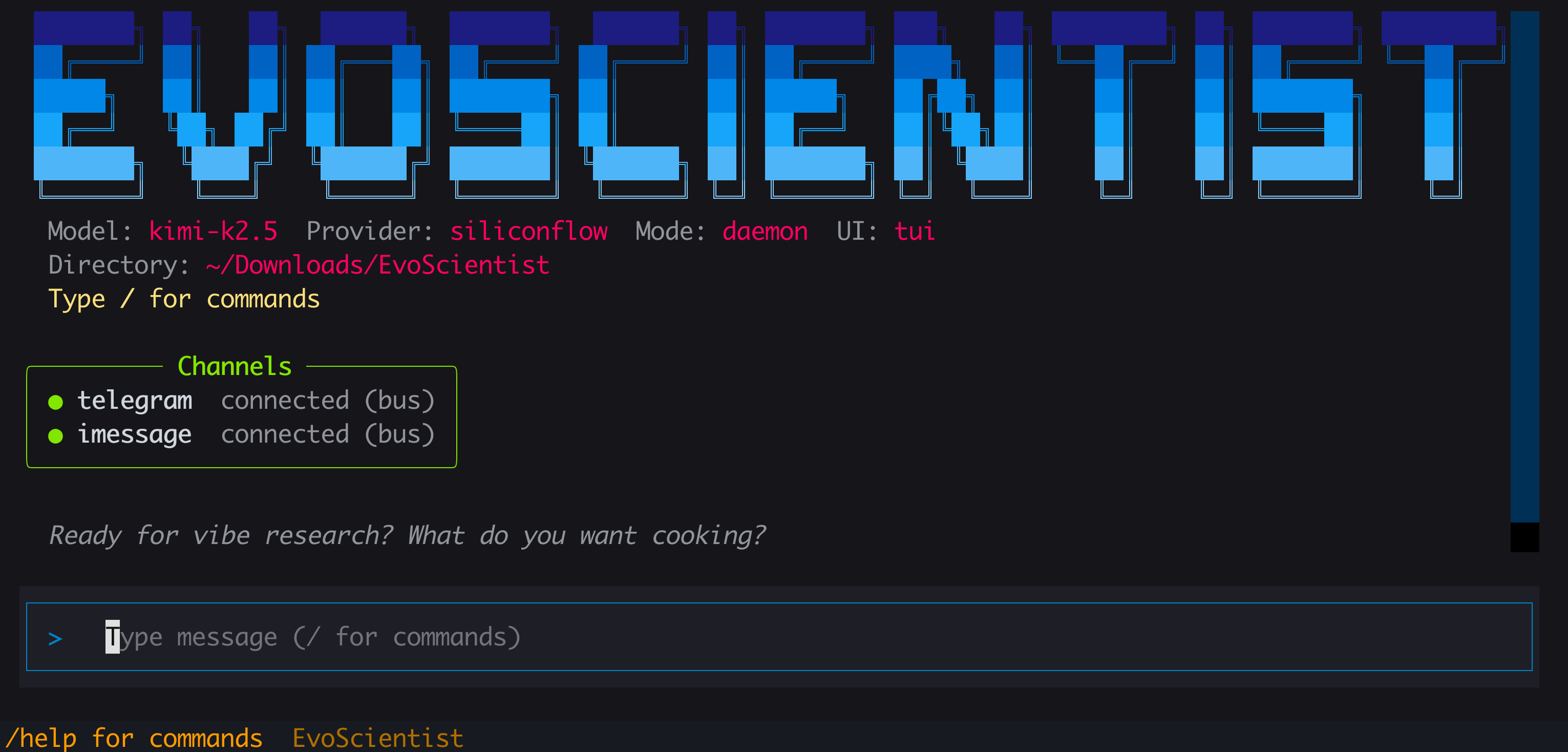
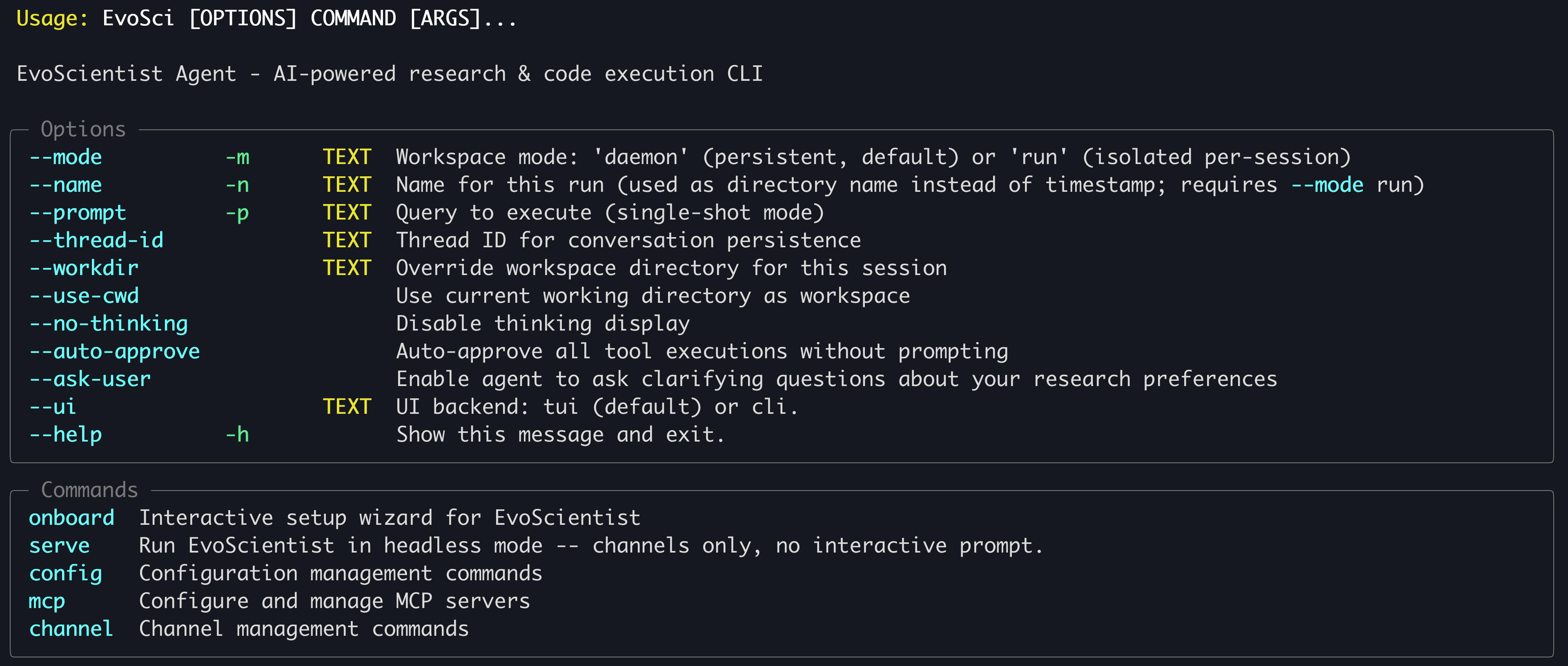
Run
EvoSci -hfor all CLI options.
Tip
Need to copy long outputs? Use
--ui clifor classic mode where native terminal copy works freely. On macOS, iTerm2 users can also hold⌥ Optionwhile dragging to select, then⌘+C.
Common examples
EvoSci                            # interactive mode (TUI by default)
EvoSci -p "your question"        # single-shot mode
EvoSci --workdir /path/to/project # open in a specific directory
EvoSci -m run                     # isolated per-session workspace
EvoSci --ui cli                   # classic CLI (lightweight)
EvoSci serve                      # headless mode — channels only, no interactive prompt
Action Approval
By default, shell commands (execute tool) require human approval before running. To skip approval prompts:
# Per-session: auto-approve via CLI flag
EvoSci --auto-approve
EvoSci -p "query" --auto-approve

# Persistent: set in config (applies to all future sessions)
EvoSci config set auto_approve true

# Or allow only specific command prefixes
EvoSci config set shell_allow_list "python,pip,pytest,ruff,git"
During a session you can also reply 3 (Approve all) at any approval prompt to auto-approve for the rest of that session.
Agent Questions
The agent can proactively ask you questions when it needs clarification (e.g., dataset choice, experiment direction). This is enabled by default. To disable:
# Persistent: set in config
EvoSci config set enable_ask_user false

# Re-enable
EvoSci config set enable_ask_user true
In-session commands
| Command | Description |
|---|---|
/current |
Show current session info |
/threads |
List recent sessions |
/resume |
Resume a previous session |
/delete |
Delete a saved session |
/new |
Start a new session |
/clear |
Clear chat history |
/skills |
List installed skills |
/install-skill <src> |
Add a skill from path or GitHub |
/uninstall-skill <name> |
Remove an installed skill |
/mcp |
Manage MCP servers |
/channel |
Configure messaging channels |
/help |
Show available commands |
/exit |
Quit |
Script Inference
from EvoScientist import EvoScientist_agent
from langchain_core.messages import HumanMessage
from EvoScientist.utils import format_messages

thread = {"configurable": {"thread_id": "1"}}
last_len = 0

for state in EvoScientist_agent.stream(
    {"messages": [HumanMessage(content="Hi?")]},
    config=thread,
    stream_mode="values",
):
    msgs = state["messages"]
    if len(msgs) > last_len:
        format_messages(msgs[last_len:])
        last_len = len(msgs)
🍪 Examples & Recipes
A curated collection of official examples, advanced usage patterns, and community-contributed recipes to help you get the most out of EvoScientist.
👉 Browse all examples & recipes
🔌 MCP Integration
Add external tools via MCP servers with a single command:
# Usage
EvoSci mcp add <name> <command> [-- args...]

# Example
EvoSci mcp add sequential-thinking npx -- -y @modelcontextprotocol/server-sequential-thinking
Tip
For command options, config fields, tool routing, wildcard filtering, and troubleshooting, see the MCP Integration Guide.
📱 Channels
Connect messaging platforms so they share the same agent session as the CLI:
# Usage
EvoSci channel setup <channel>

# Example
EvoSci channel setup telegram
Multiple channels can run concurrently — comma-separate names in the config:
channel_enabled: "telegram,slack,feishu,qq"
The channel can also be started interactively with /channel in the CLI session.
Tip
For per-channel setup guides, capability matrix, architecture details, and troubleshooting, see the Channel Integration Guide.
📚 Acknowledgments
This project builds upon the following outstanding open-source works:
- LangChain — A framework for building agents and LLM-powered applications.
- DeepAgents — The batteries-included agent harness.
We thank the authors for their valuable contributions to the open-source community.
🎯 ᯓ➤ Roadmap
Coming soon:
- 🖥️ Full-screen TUI and classic CLI interfaces
- 📻 EvoMemory v1.0 shipped
- ⚒️ 200+ predefined skills built in
- 🧩 Built-in research-lifecycle skills shipped
- 👋 Human-in-the-loop action approval
- 🦾 Agent-initiated human clarification
- 📑 Technical report on the way
- 🔐 OAuth sign-in (CLI coding agent subscribers)
- 📺 Web app with workspace UI
- 📹 Demo and tutorial in the works
- 📊 Benchmark suite to be released
- ⏰ Scheduled tasks for the core system planned
Stay tuned — more features are on the way!
🌍 Project Roles
Core Contributors

Xi Zhang |
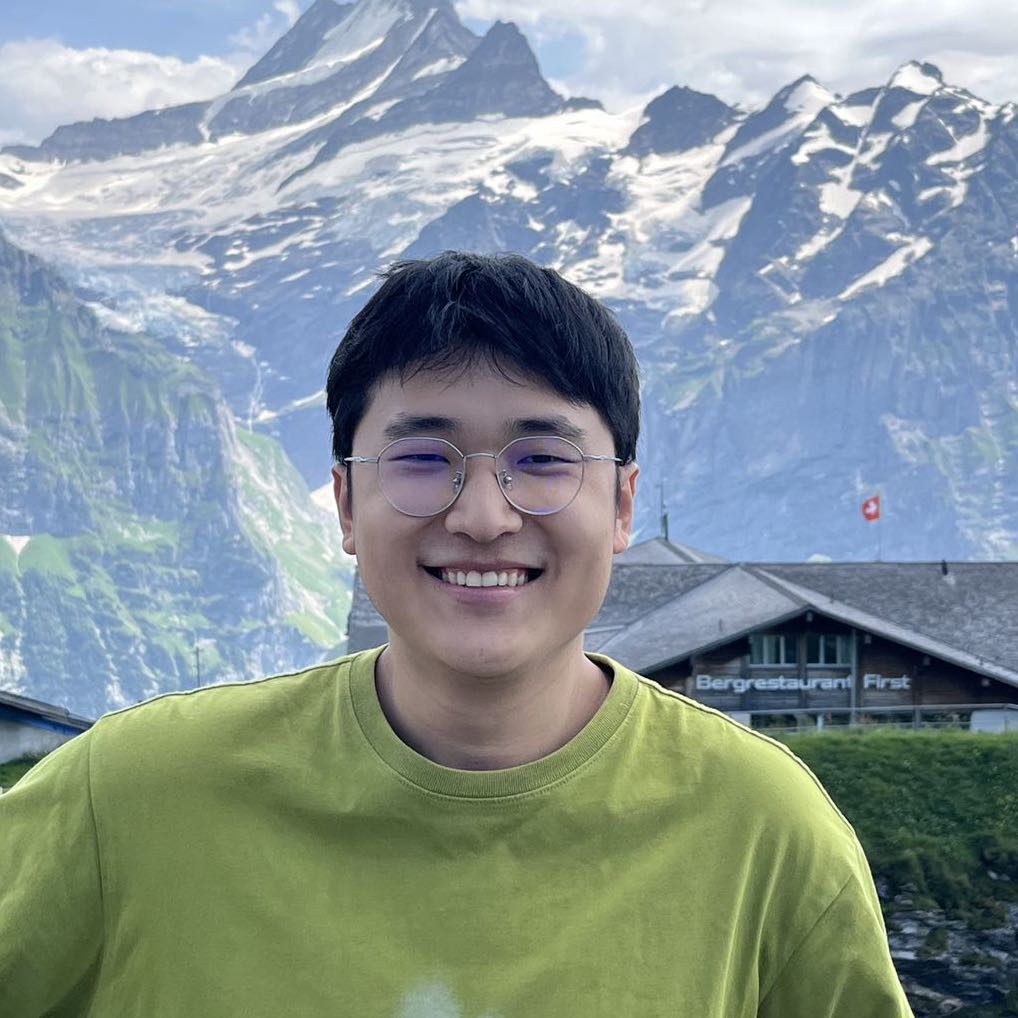
Yougang Lyu |

Dinos Papakostas |
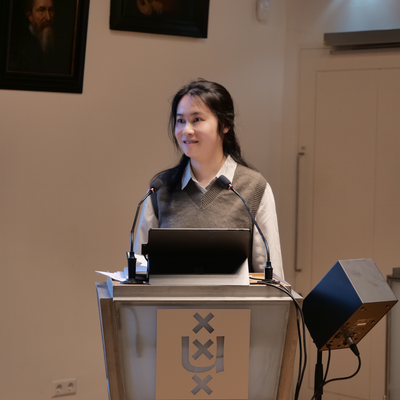
Yuyue Zhao |
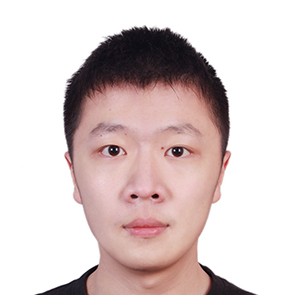
Ziheng Zhang |

Xiaohui Yan |
Contributors
Jan Piotrowski, Wiktor Cupiał, Jakub Kaliski, Jakub Filipiuk, Xinhao Yi, Shuyu Guo, Andreas Sauter, Wenxiang Hu, Jacopo Urbani, Zaiqiao Meng, Jun Luo, Lun Zhou
Xiaoyi DeepResearch Team and the wider open-source community contribute to this project.
For any inquiries or collaboration opportunities, please contact: EvoScientist.ai@gmail.com
🤝 Contributing

We welcome contributions from developers, researchers, and AI coding agents at all levels. Our Contributing Guidelines are designed for both humans and AI agents — covering architecture, patterns, extension guides, and code standards to help you contribute safely and effectively.
👥 Community Contributors
⚗️ Join the EvoScientist community to discuss AI-driven research, share experiment results, and help shape the future of automated scientific discovery.
-
Discord — Ask questions, share findings, and collaborate with researchers and developers in real-time.
-
WeChat — Connect with our Chinese-speaking research community.

Every contribution brings us one step closer to a future where AI accelerates scientific breakthroughs for all of humanity.
📝 Citation
If you find our paper and code useful in your research and applications, please cite using this BibTeX:
@article{evoscientist2026,
  title={EvoScientist: Towards Multi-Agent Evolving AI Scientists for End-to-End Scientific Discovery},
  author={Yougang Lyu and Xi Zhang and Xinhao Yi and Yuyue Zhao and Shuyu Guo and Wenxiang Hu and Jan Piotrowski and Jakub Kaliski and Jacopo Urbani and Zaiqiao Meng and Lun Zhou and Xiaohui Yan},
  journal={arXiv preprint arXiv:2603.08127},
  year={2026}
}
📜 License
This project is licensed under the Apache License 2.0 - see the LICENSE file for details.